
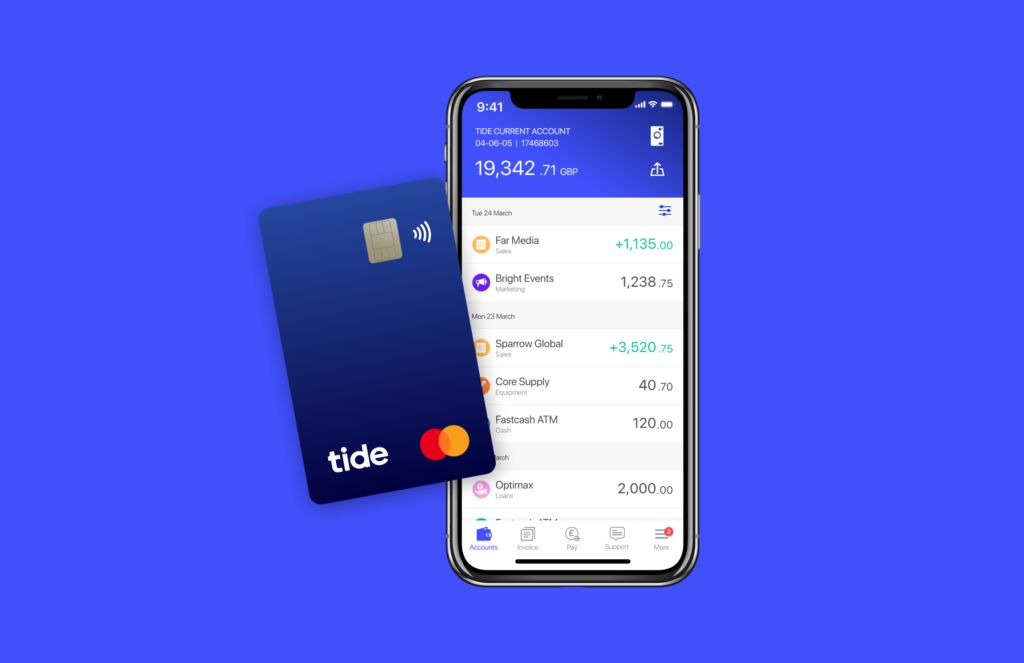
One of the first things most new business owners should do is open a business bank account. In this guide, we look at Tide, one of the UK’s leading digital banking providers for sole traders and small businesses.
Tide offers a free business bank account with £50 cashback.
The cashback offer is available to new Tide customers and is usually activated after you meet a small qualifying card spend during the promotional period. Full eligibility details are shown during the application process.
You can also add a savings account to your Tide setup and earn up to 3.74% AER on your balance.
Here is a guide to the Tide business bank account, including our verdict.
Tide serves different types of small businesses, but the application details and available features can depend on whether you trade as a sole trader or limited company. Check its current eligibility, account provider and charges before applying. For a wider comparison, see our guides to sole trader accounts and limited company accounts.
Some business banking basics
Before we look at what the Tide account can offer, here are some useful things to know about setting up a business account:
Do you need a separate bank account?
If you form a limited company, you must open a separate account in the company’s name, as it is a distinct legal entity. You can’t use your personal account for any company transactions.
If you’re self-employed (a sole trader), there is no legal obligation to open a separate bank account, but it will make life much easier if you do.
What do you need from a banking provider?
There are lots of things to consider, such as:
- Do you have many monthly transactions?
- Do you need branch access?
- Do you need to deposit cash or cheques?
Things to look out for when comparing banks
- What is the monthly cost of the account?
- Are there any additional fees you should be aware of?
- Are there any additional benefits, such as free invoicing in accounting software?
- Is the bank FSCS protected?
The Tide business bank account – £50 cashback
More than 1.5 million UK businesses use Tide for their business banking.
You can set up an account in minutes, and as a special welcome bonus, ByteStart visitors qualify for £50 cashback just for opening an account.
The FSCS protects eligible deposits up to the applicable limits; there are no monthly or annual fees, and you can manage your account from your mobile phone or desktop.
You can open a Tide account and run it alongside a traditional business current account if you already have one.
Benefits provided by the free Tide business bank account
- Apply in minutes using the Tide app.
- No monthly or annual fees for the ‘free’ account.
- Free use of your MasterCard in the UK and abroad.
- Set up and amend direct debits.
- Compatible with Apple Pay and Google Pay.
- Free transfers to other Tide accounts.
- Free company formation, if needed, when opening your bank account.
- Built-in expense management tools, including receipt capture and VAT tracking.
- Tide integrates with Xero, Sage, QuickBooks, and Kashflow, so you can easily
synchronise your online accounting software
with your bank transactions. - 24-hour support via the Tide app.
- Manage your account from any device, including a laptop, tablet, or desktop.
- You can deposit cash at more than 40,000 Post Office and PayPoint locations across the UK.
Deposit fees apply, so the account is generally better suited to businesses that only handle cash occasionally. - Tide is authorised by the Financial Conduct Authority (FCA).
Several pricing tiers are available – Free, Plus and Pro
Compare the different Tide account offerings: Free, Plus, and Pro.
The Free account has no monthly fee, but you’ll pay per transaction.
- There is no monthly fee, but a 20p charge applies per transaction, such as bank transfers.
- It offers in-app support, but no phone support.
At 20p per transaction, 20 chargeable payments would cost £4, and 50 would cost £10. If you make many payments each month, compare this to the monthly cost and included transactions on Plus and Pro.
The Plus account (£9.99 per month) provides one additional MasterCard for a team member.
- You receive 20 free monthly transactions, phone support, and a complimentary legal helpline.
The Pro account (£19.99 per month) provides the same benefits as a Plus account, including two additional MasterCard accounts and unlimited monthly transactions.
If you have many monthly transactions, opting for the Plus or Pro account may be more cost-effective. It all depends on how your business operates.
How to open a Tide business account
The onboarding process for opening a Tide account is simple.
- Download the Tide app from the Android or Apple Store.
- Enter details about the type of business you run.
- Upload your ID and a selfie to verify your identity.
- Your new bank account could be ready within minutes.
Tide may require additional information in a few cases before completing your application.
If Tide doesn’t quite fit your needs, some businesses also consider alternatives such as ANNA Money and Zempler Business Go, depending on how they trade and what features matter most.
Our verdict
We’ve used Tide ourselves, and the account is quick to set up and straightforward to manage through the app.
The Free account should suit many freelancers, sole traders, and small limited companies, especially if you don’t make many chargeable transactions each month.
The accounting integrations are also useful if you use Xero, Sage, QuickBooks, or FreeAgent.
If you make lots of payments, work out what the 20p transaction charges would cost you each month, and compare this with the Plus and Pro plans.
Tide won’t suit everybody. If you regularly pay in cash or want to bank in a branch, a traditional high street bank may be a better option.
This review is based on our own use of Tide as well as the account features and charges shown above.
ByteStart readers are eligible for an exclusive £50 cashback offer from Tide. Open a Tide account and claim the offer here.