
Choosing the right bank account is one of the things you’ll need to sort out when you start a business.
If you run a small business or work for yourself, you probably want an account that’s easy to open and use, without paying for features you don’t need.
For many small businesses, particularly those which rarely deal in cash, that makes the newer digital business accounts worth considering alongside the traditional high-street banks.
For more banking ideas, see our self-employed banking guides, including can you use a personal bank account for business and our overview of the FSCS and business accounts.
Open a free Zempler Business Go account here
Check whether the account is currently available to your trading structure, whether you apply as a sole trader or on behalf of a limited company. Company applicants may need to provide details of directors and beneficial owners. Compare the latest eligibility and charges directly with Zempler before applying. Our general guides explain sole trader banking and limited company banking.
Before choosing a business bank account
Do you need a separate business account?
If you operate a limited company, the company’s money needs to be kept separate from your personal finances, so you’ll need an account in the company’s name.
For sole traders, there’s no legal requirement to have a separate business account. However, using one makes tax admin and bookkeeping far simpler.
It also means you don’t have to separate your business transactions from months of personal spending when you come to do your accounts.
What factors are important to your specific business?
Before choosing an account, consider what you need from your bank account. A free account can soon become expensive if you make lots of payments or regularly pay in cash.
- Monthly account fee
- Charges for sending and receiving payments
- How many payments you make each month
- Cash deposit and ATM charges
- Whether you need to pay in cheques
- International payment and foreign currency charges
- Accounting software integrations
- FSCS protection
- Customer support
A consultant who receives a few client payments each month has very different banking requirements from a shop or tradesperson regularly paying suppliers and banking cash.
What is Zempler Business Go?
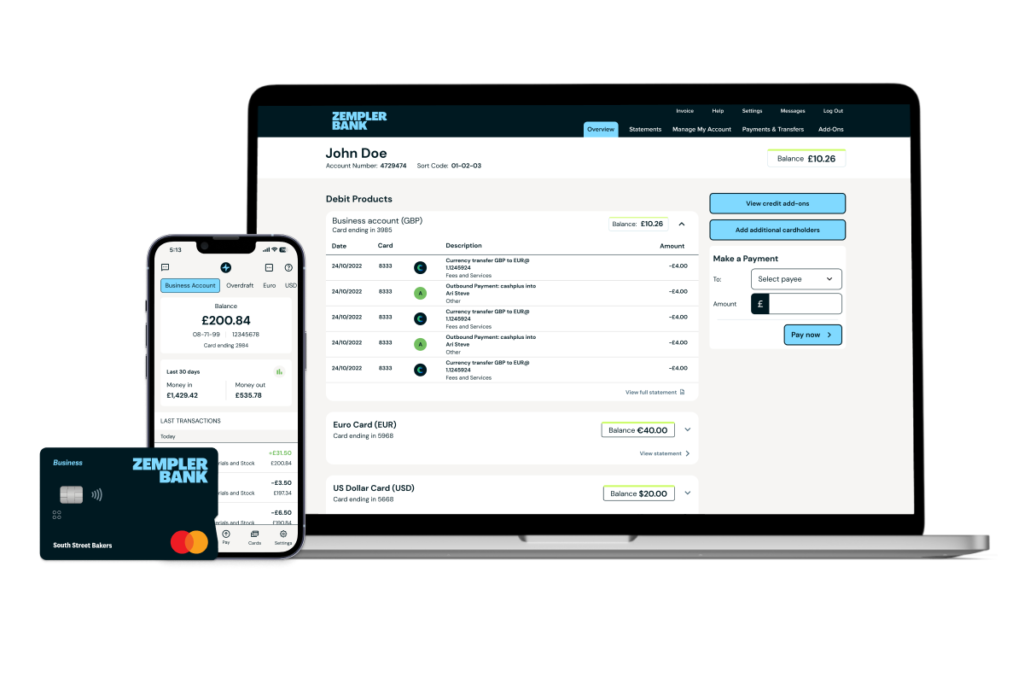
Zempler Business Go is the bank’s entry-level business current account. There is no monthly account fee, and you get online and mobile banking together with a business Mastercard debit card.
Zempler was previously known as Cashplus Bank. It is a fully regulated UK bank, so eligible deposits are protected by the Financial Services Compensation Scheme (FSCS) up to £120,000 per depositor.
You can read more about how this works in our guide to FSCS protection for business bank accounts.
How much does Business Go cost?
Business Go has no monthly fee, but that doesn’t mean every transaction is free.
| Activity | Allowance / cost |
|---|---|
| Sending money | 3 free per month, then 35p each |
| Receiving money | Free and unlimited |
| Cash withdrawals (UK ATM) | £2 per withdrawal |
| Cash withdrawals (abroad) | £3 per withdrawal |
| Cash at Post Office | £4 minimum fee or 0.55% of total |
The figure to pay particular attention to is the three free outgoing payments per month.
For a freelancer or consultant making only a few payments each month, the free allowance may be enough. If you pay suppliers or subcontractors regularly, the 35p charges can add up quickly.
At 35p each, another 20 outgoing payments would cost £7. Another 50 would cost £17.50. That’s when it’s worth comparing the free account with Zempler’s paid plans and other business accounts rather than looking at the £0 monthly fee on its own.
What do you get with Zempler Business Go?
- Online and app banking: Manage the account, make payments and keep track of transactions from your phone or online.
- Business Mastercard: A debit card for everyday business spending.
- FSCS protection: Eligible deposits are protected up to £120,000.
- UK telephone support: Useful if you’d rather speak to somebody than rely entirely on in-app support.
- Accounting integrations: Zempler can connect with accounting packages including Xero, QuickBooks and Sage.
- Post Office banking: You can pay cash into the account at Post Office branches, although charges apply.
Accounting software and bank feeds
Zempler can connect directly to accounting software, so your bank transactions are automatically pulled into your accounts. You can then match payments against invoices and expenses without entering everything by hand.
This also makes bank reconciliation much quicker, particularly if you have many transactions each month.
Zempler supports integrations with Xero, QuickBooks and Sage. Have a look at our guide to business bank accounts and accounting software integrations for more on how these work.
What if you take cash?
Zempler lets you pay cash into your account through the Post Office, which is useful if your business occasionally receives cash.
However, Business Go charges a minimum of £4 or 0.55% of the amount deposited. If you’re banking cash several times a week, those charges are more important than the lack of a monthly account fee.
UK ATM withdrawals cost £2 each, so bear this in mind if you expect to take cash out regularly.
Other Zempler business plans
Zempler also has paid business accounts for customers who need higher transaction allowances or additional features.
- Business Extra (£9/month): A larger allowance for outgoing payments and cashback on eligible card spending.
- Business Pro (£19/month): Higher payment allowances and additional account features, including a savings pot.
If you start incurring high transaction fees, one of the paid plans may work out cheaper overall.
Some possible drawbacks
- Only three outgoing payments are included for free each month.
- Cash deposits are available, but aren’t free.
- UK ATM withdrawals cost £2.
- There isn’t a traditional branch network.
- Businesses that make many payments each month may find a paid account cheaper overall.
What types of businesses is Zempler Business Go best for?
Business Go is a good solution for sole traders, freelancers, consultants and small companies with fairly simple banking requirements.
If most of your income comes in by bank transfer and you only make a few outgoing payments each month, you may be able to use the account without paying Zempler anything in monthly or payment fees.
It’s a less attractive proposition if your business makes dozens of payments each month or regularly banks cash. In that case, compare the total transaction costs with a paid Zempler account or another provider.
Verdict
The main attraction of Zempler Business Go is straightforward: there’s no monthly account fee, you get a proper business current account, and eligible deposits are covered by the FSCS.
The trade-off is the relatively small allowance of three free outgoing payments each month. That won’t matter to every business, but it’s the number we’d check first before opening the account.
If you mainly receive payments and only make a few each month, Business Go should be inexpensive to run. If you make lots of payments, one of Zempler’s paid plans or another account may work out cheaper.
Open a free Zempler Business Go account here
If you’d like to compare this with two other popular options, read our Tide business account and ANNA Money reviews.