
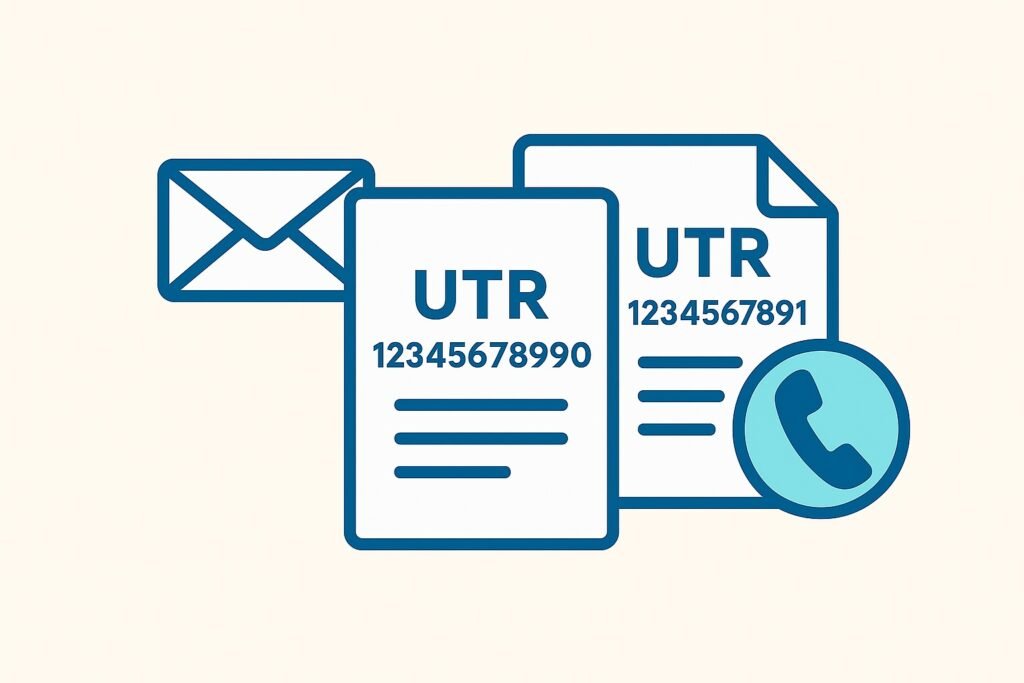
Plenty of sole traders have done this by mistake.
You register as self-employed, HMRC issues a new Unique Taxpayer Reference (UTR), and everything looks fine – until a week later, when you find an old letter from years ago with a different UTR on it.
Suddenly, there are two tax records in your name, and HMRC’s systems don’t know which one to use.
When this happens, returns can go missing, payments don’t appear, and you may even get penalty letters for years you’ve already filed.
It’s a common problem, but you can fix it by confirming which record is correct and asking HMRC to close the duplicate.
Step 1 – understand what your UTR means
A UTR is your Unique Taxpayer Reference — a ten-digit number that HMRC uses to identify you.
You have one personal Self Assessment UTR that stays with you for life and covers all your personal tax activity, including self-employment, rental income, and other taxable income declared through Self Assessment.
If you later form a limited company, that company will receive its own UTR, and partnerships will also be issued separate UTRs.
The problem arises when you end up with two personal Self Assessment UTRs in your own name, as HMRC systems then treat you as two different taxpayers.
For background, see our short guide to the UTR number and how it works.
Step 2 – how duplicate UTRs happen
HMRC creates a duplicate when it can’t match your new registration to an existing record. This often occurs when details, such as your name, address, or contact information, differ slightly from those on file. Common examples include:
- Registering again because you forgot your original UTR.
- Stopping trading and later re-registering instead of reactivating your old record.
- Completing both the CWF1 form (for self-employment) and the SA1 form (for other Self Assessment reasons) at different times.
- Changing your address or accountant, leading HMRC to believe you’re a new taxpayer.
- Creating a new Government Gateway account instead of recovering your old one.
- An accountant registering you again without knowing you already had a UTR.
Step 3 – signs you have a duplicate record
These are the most common clues that something isn’t right:
- HMRC letters show two different UTRs.
- Online filing rejects your return or shows the wrong balance.
- Payments you’ve made don’t appear on your statement.
- You receive late filing penalties even though you’ve already submitted a return.
- Your Class 2 National Insurance record looks incomplete or incorrect.
- Your accountant can’t file returns because their authorisation is linked to the wrong record.
- Tax credits or benefits that depend on Self Assessment stop updating correctly.
Step 4 – collect all of your paperwork before calling
Before contacting HMRC, gather all the information that clearly identifies you.
That includes both UTRs (if you have them), your National Insurance number, date of birth, current address, and the date you started or restarted trading.
Keep copies of any returns, payment receipts, or letters that mention either UTR. If you only know one UTR, HMRC can still locate the duplicate using your NI number and address history.
Step 5 – contact HMRC Self Assessment
Contact the Self Assessment helpline at the number listed on GOV.UK.
You need to be patient, as it can sometimes take a long time to get through. Lines are usually quieter early in the morning.
Explain that you’ve been registered twice and that you need HMRC to identify which record should remain active.
Be prepared for one of two outcomes. In some cases, HMRC can merge the records and transfer everything to your main UTR. In others, they’ll close one record and ask you to refile any returns or manually move payments.
Payment reallocations can take weeks, sometimes months, so keep full proof of payment until you see the correction in your account.
If the duplicate led to penalties for late filing, explain that you filed under a different UTR and ask for the charge to be cancelled under the “reasonable excuse” rule.
If you prefer written communication, you can also write to: Self Assessment, HM Revenue and Customs, BX9 1AS, United Kingdom.
Step 6 – fix your online access
Sign in to your Government Gateway account. If your Self Assessment service shows the wrong UTR, go to “add a tax, duty or scheme” and enter the correct one.
Keep one login for all your taxes to avoid further confusion.
You can’t delete a Government Gateway account yourself, but HMRC can deactivate a duplicate if it’s causing problems.
Step 7 – update your accountant’s access (if you have eone)
If your accountant created the duplicate record, they’ll need to correct it.
Ask them to remove their authorisation from the closed record and reauthorise through their Agent Services Account using the correct UTR.
HMRC doesn’t switch agent links automatically, so they’ll need to submit a new authorisation request.
Step 8 – ask for written confirmation from HMRC
Always ask HMRC to confirm in writing which UTR is now active, and keep that letter in a safe place.
Once the records are merged or closed, check your online account to ensure that your returns, payments, and National Insurance contributions are displayed under the correct record.
If HMRC has transferred payments, check again after a few weeks to confirm the move has completed.
Step 9 – avoid it happening again
When you register for Self Assessment, the system checks your National Insurance number against existing records.
If you use slightly different personal details, such as an old address or alternative spelling, the system might not find your previous record and could issue a new UTR. To prevent another mix-up:
- Always reuse your existing UTR if you’ve filed before.
- Keep your NI, address, and contact details consistent.
- If you stop trading, ask HMRC to reactivate your record rather than registering again.
- Avoid leaving this until January when helplines are overloaded.
- Store your UTR securely — a password manager works well.
Some useful ByteStart guides
For more help managing Self Assessment, see Self Assessment tax return help for sole traders, how to register as self employed, and how long to keep tax records.
If you’re preparing for digital recordkeeping, read Making Tax Digital for the self employed.