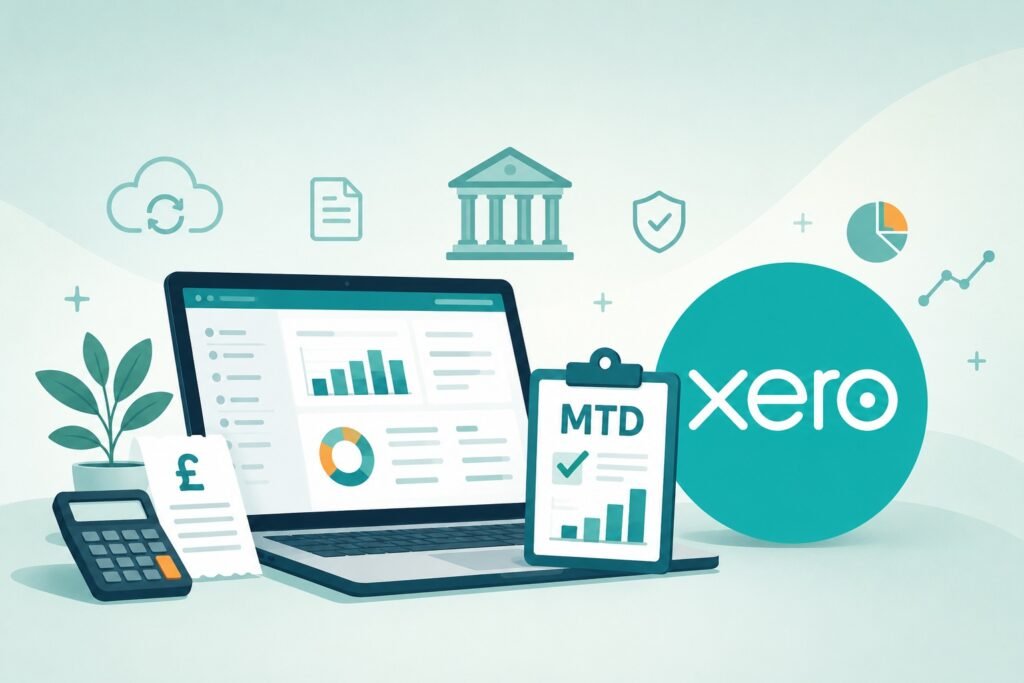
Yes, many sole traders can manage almost every aspect of their business using Xero.
From creating invoices and tracking expenses to reconciling bank transactions and submitting Making Tax Digital updates, the software can replace spreadsheets and manual bookkeeping for many small businesses.
Whether Xero is enough on its own depends on the complexity of your business and whether you also need professional tax advice.
While the software can automate much of the administration, many sole traders still use an accountant for tax planning, year-end checks and support with more complicated matters.
Xero can handle invoicing, bookkeeping, expense tracking, bank reconciliation, VAT and Making Tax Digital reporting for most sole traders. However, accounting software does not replace professional advice if your tax affairs become more complex.
What can Xero do for a sole trader?
For many sole traders, Xero becomes the central place for managing the financial side of the business.
Rather than keeping separate spreadsheets, paper receipts and banking records, you can bring much of the information together in one system.
Depending on your business, you can use Xero to:
- Create and send professional invoices.
- Track whether customers have paid.
- Record and categorise business expenses.
- Connect your business bank account using bank feeds.
- Match bank transactions against invoices and purchases.
- Keep digital accounting records.
- Manage VAT if you are registered.
- Prepare and submit Making Tax Digital updates.
- Produce profit and loss reports.
- Give your accountant access to your records.
For many freelancers, consultants, tradespeople and other small businesses, these features cover most of the day-to-day financial administration.
Creating and managing invoices
Invoicing can become surprisingly time-consuming, particularly if you work with several clients or regularly have to chase late payments.
With Xero, you can create invoices, email them directly to customers and monitor whether they have been paid.
You can also:
- Create reusable invoice templates.
- Add your business details and branding.
- Set payment terms.
- Schedule repeating invoices for regular clients.
- Send invoice reminders.
- Accept online payments through supported payment services.
This can be more efficient than creating each invoice manually in Word or Excel and keeping a separate record of what remains unpaid.
You may also find our sole trader invoice templates useful if you are reviewing what information your invoices should contain.
Recording business expenses
Xero can also be used to record the costs you incur while running your business.
These might include:
- Equipment and tools.
- Travel and mileage.
- Phone and internet costs.
- Professional fees.
- Insurance premiums.
- Advertising and marketing.
- Software subscriptions.
Recording expenses as they arise can make it easier to keep your accounts accurate and avoid having to work through months of receipts shortly before your tax return is due.
It is still your responsibility to decide whether an expense is allowable for tax purposes. Xero records and organises the transaction, but it does not automatically make every purchase tax deductible.
Our guide to the business expenses sole traders can claim covers the main rules.
You can also read more about:
- Mileage allowance for sole traders.
- Phone and internet expenses.
- Claiming software subscriptions as a business expense.
- Equipment and tools bought for your business.
Using bank feeds
One of the most useful Xero features is its ability to connect to many UK business bank accounts.
Once a bank feed is active, transactions can be imported into Xero automatically. You can then match them against invoices, bills and expense categories.
This reduces the need to enter every payment manually and gives you a more current view of the money entering and leaving your business.
Bank feeds can also make it easier to identify:
- Invoices that have been paid.
- Customers who still owe you money.
- Regular subscriptions.
- Bank charges and interest.
- Transactions that have been entered twice.
- Business purchases that have not yet been categorised.
If you are choosing a business bank account, check whether it connects directly to your preferred accounting software.
Our guide to business bank accounts that integrate with Xero, FreeAgent and QuickBooks covers this in more detail.
Can Xero help with Making Tax Digital?
Yes. Xero can be used to keep digital records and make submissions under Making Tax Digital for Income Tax.
MTD for Income Tax requires affected sole traders and landlords to maintain digital records and send regular updates to HMRC using compatible software.
Xero is compatible with Making Tax Digital for Income Tax and is offering ByteStart readers 80% off Xero accounting software for the first six months.
Xero can help you:
- Record business income and expenses digitally.
- Keep your bookkeeping up to date throughout the year.
- Organise transactions into suitable categories.
- Prepare quarterly updates.
- Submit information using MTD-compatible software.
You still need to make sure the information entered into Xero is complete and accurate. The software can organise the figures and submit them, but it cannot identify every missing transaction or incorrect expense claim.
For more information, read our guide to using Xero for Making Tax Digital as a sole trader.
You may also find these guides helpful:
- Making Tax Digital for the self-employed.
- MTD for Income Tax deadlines.
- How to register for MTD for Income Tax.
- Important things to know about MTD.
Can you use Xero for VAT?
VAT-registered sole traders can use Xero to record VAT on sales and purchases, calculate the amount due and prepare VAT returns.
The software can be particularly useful where you have a large number of transactions, because it keeps a running record of VAT collected and VAT paid.
However, you still need to apply the correct VAT treatment.
Potential complications include:
- Using the wrong VAT rate.
- Claiming VAT on purchases that are not eligible.
- Handling mixed business and personal expenses.
- Using the Flat Rate Scheme.
- Recording transactions from before VAT registration.
- Dealing with purchases from overseas suppliers.
Xero can process the figures you enter, but it cannot always determine the correct tax treatment without input from you or your accountant.
Our guide to VAT for small businesses covers the wider rules.
You can also read about:
- Registering for VAT.
- The VAT registration threshold.
- The VAT Flat Rate Scheme and limited cost trader test.
- Cancelling your VAT registration.
Can Xero calculate your tax bill?
Xero can give you useful information about your income, expenses and profit, but you should not assume that the figure shown in the software is the exact amount on which you will pay tax.
Your taxable profit may differ from your accounting profit because of:
- Expenses that are not allowable for tax.
- Capital allowances.
- Private use adjustments.
- Simplified expenses.
- Losses brought forward from earlier years.
- Pension contributions.
- Income from other sources.
You may therefore need to make adjustments when preparing your Self Assessment tax return.
Our sole trader tax guide explains how Income Tax and National Insurance apply to self-employed profits.
You can also use the ByteStart sole trader tax calculator to estimate your potential liability.
Can Xero replace a spreadsheet?
For many sole traders, yes.
Once your bank account is connected and you have established a regular bookkeeping routine, there may be little benefit in maintaining a separate spreadsheet containing the same transactions.
Xero can provide:
- A current record of business income and spending.
- Automatic bank transaction imports.
- Invoice tracking.
- Expense categorisation.
- Financial reports.
- Digital records for MTD.
Some sole traders still use spreadsheets for cash flow forecasting, business planning, or keeping track of information that falls outside their accounts.
However, maintaining identical accounting records in both Xero and a spreadsheet can create additional work and increase the risk of the figures becoming inconsistent.
Our comparison of accounting software and spreadsheets looks at the advantages of each approach.
Do you still need a bookkeeper?
Possibly.
Xero makes bookkeeping more efficient, but someone still needs to review transactions, match payments, handle receipts, and check that everything has been entered correctly.
You might manage this yourself if:
- Your business has relatively few transactions.
- You keep your records up to date.
- Your income and expenses are straightforward.
- You understand the basic bookkeeping categories.
A bookkeeper may still be worthwhile if you have a high volume of transactions, frequently fall behind with your records or simply prefer to spend your time on paid work.
Xero can make working with a bookkeeper easier because you both can access the same records without exchanging spreadsheets or paper files.
Our guide to bookkeeping for sole traders covers what is involved.
Do you still need an accountant if you use Xero?
Xero can reduce the amount of routine work an accountant needs to do, but it does not necessarily remove the need for one.
An accountant may help with:
- Checking your accounts before you file your tax return.
- Tax planning.
- Capital allowances.
- VAT queries.
- Business structure decisions.
- Dealing with HMRC.
- Correcting bookkeeping errors.
- Planning for future tax payments.
The decision often comes down to how comfortable you are managing your own tax affairs and how complex your business has become.
Our guide to whether you still need an accountant when using Xero or FreeAgent examines this question in more detail.
You can also read about how much a sole trader accountant may cost.
When might Xero be unnecessary?
Xero may offer more functionality than you need if your business is extremely small and you only have a handful of transactions each year.
For example, a sole trader with one client, very few expenses and no VAT registration may be able to maintain adequate records using a straightforward spreadsheet.
Cost is also a factor. Accounting software subscriptions are generally allowable business expenses, but you are still paying for the service each month.
Before subscribing, consider:
- How many transactions you process.
- Whether you raise invoices regularly.
- Whether you are VAT registered.
- Whether MTD applies to you.
- Whether you want automatic bank feeds.
- Whether your accountant already uses Xero.
Our guide to accounting software for sole traders covers the main features to compare.
When might Xero not be enough?
Xero may need to be combined with other software or professional support if your business has more complicated requirements.
Examples might include:
- Advanced stock management.
- Detailed project management.
- Complex international transactions.
- Specialist industry reporting.
- Multiple businesses with separate records.
- Complicated VAT arrangements.
- A large number of employees or subcontractors.
Xero has a large range of integrations, but adding several paid apps can increase the overall cost.
Before choosing software, it is worth listing the tasks you need it to perform rather than assuming one system will cover everything.
Can you manage your sole trader business using only Xero?
For many sole traders, Xero can handle most of the day-to-day financial administration.
It can be used to create invoices, record expenses, import bank transactions, monitor cash flow, manage VAT and keep digital records for Making Tax Digital.
You may still need your online banking, HMRC account and possibly an accountant or bookkeeper. Xero is primarily an accounting platform rather than a complete business management system.
Used consistently, however, it can replace a collection of spreadsheets, invoice templates and manual bookkeeping records with one central system.
The main question is not whether Xero has enough features, but whether you are prepared to keep the records accurate and up to date. The software can automate much of the work, but it still relies on the information you enter.
Don’t forget: ByteStart readers can get 80% off Xero for 6 months!